IPTV player for Fire TV, Android TV and phone Your playlists. Every screen.
Bring your own playlist.
A player worthy of the provider you already pay for. Add your Xtream Codes login or M3U link, and watch it the way it should look.
7 days free on every screen. No card, no account to start.
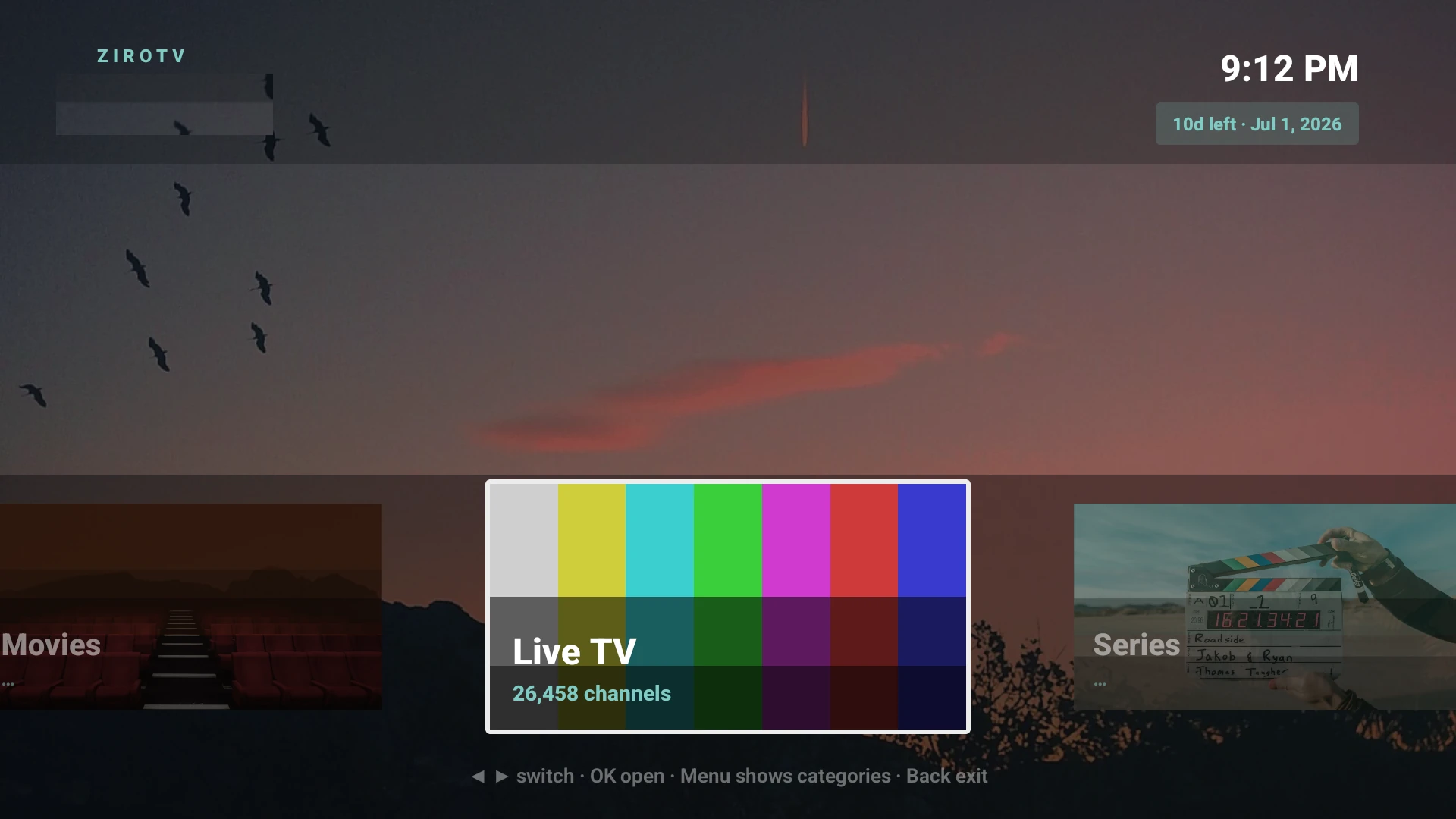
- Works with Xtream Codes and M3U
- Fire TV · Google TV · Android TV · Android phones
- Two screens on every plan
- Made in the Netherlands
Built for the big screen, not ported to it.
Most IPTV apps look like a settings menu. ZiroTV lays out your provider’s channels, films and series like a streaming service, for a couch, a remote and a big panel in a dark room.
Films and series, laid out like a streaming service.
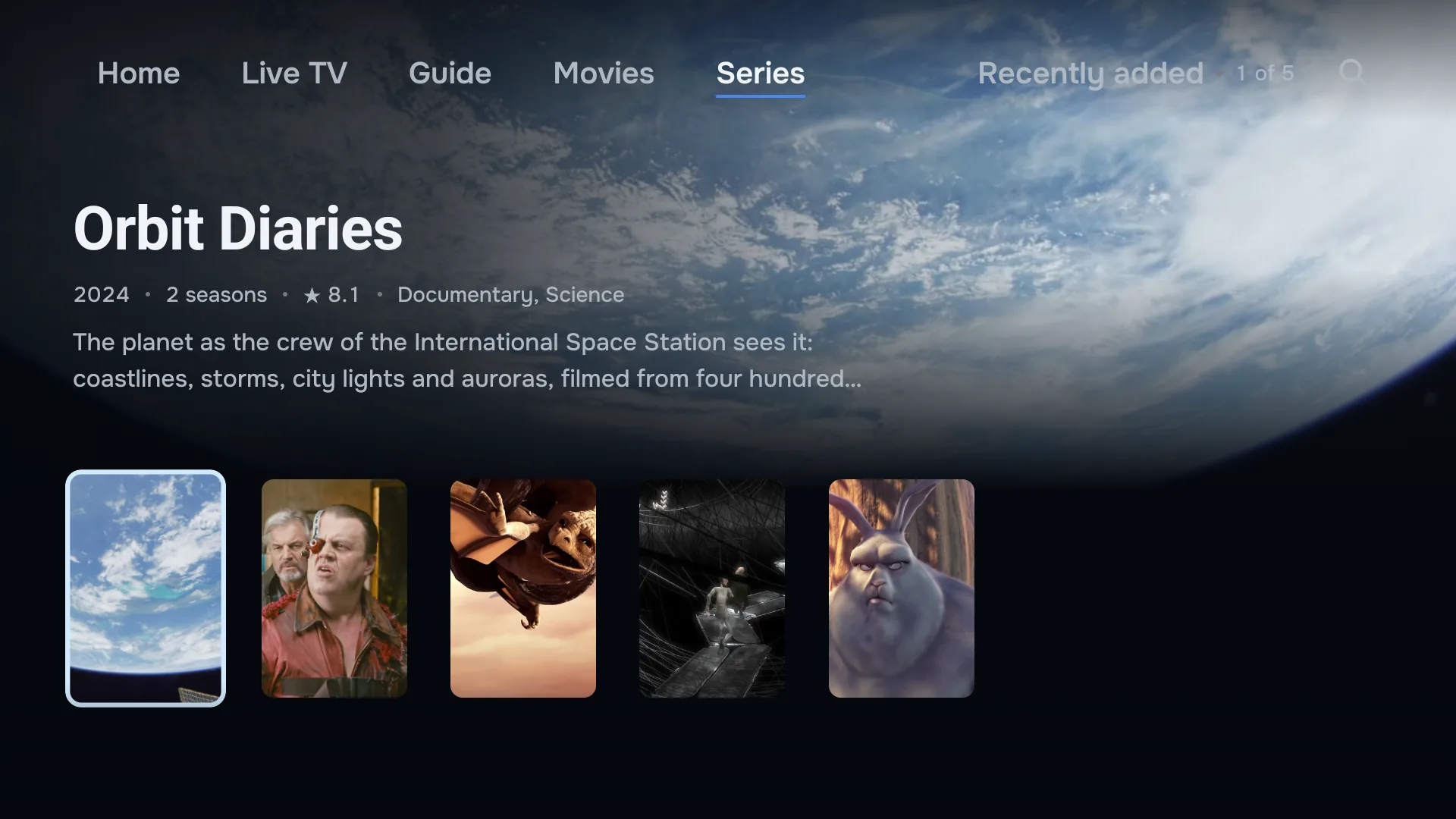
With an Xtream Codes login, your provider’s films and series arrive with backdrops, posters and synopses, in rows you scroll from the sofa. Series open by season, and the next episode starts on its own when one ends.
Continue watching keeps the titles you started, and plays on from where you stopped.
Rewind live TV. Catch up on the rest.
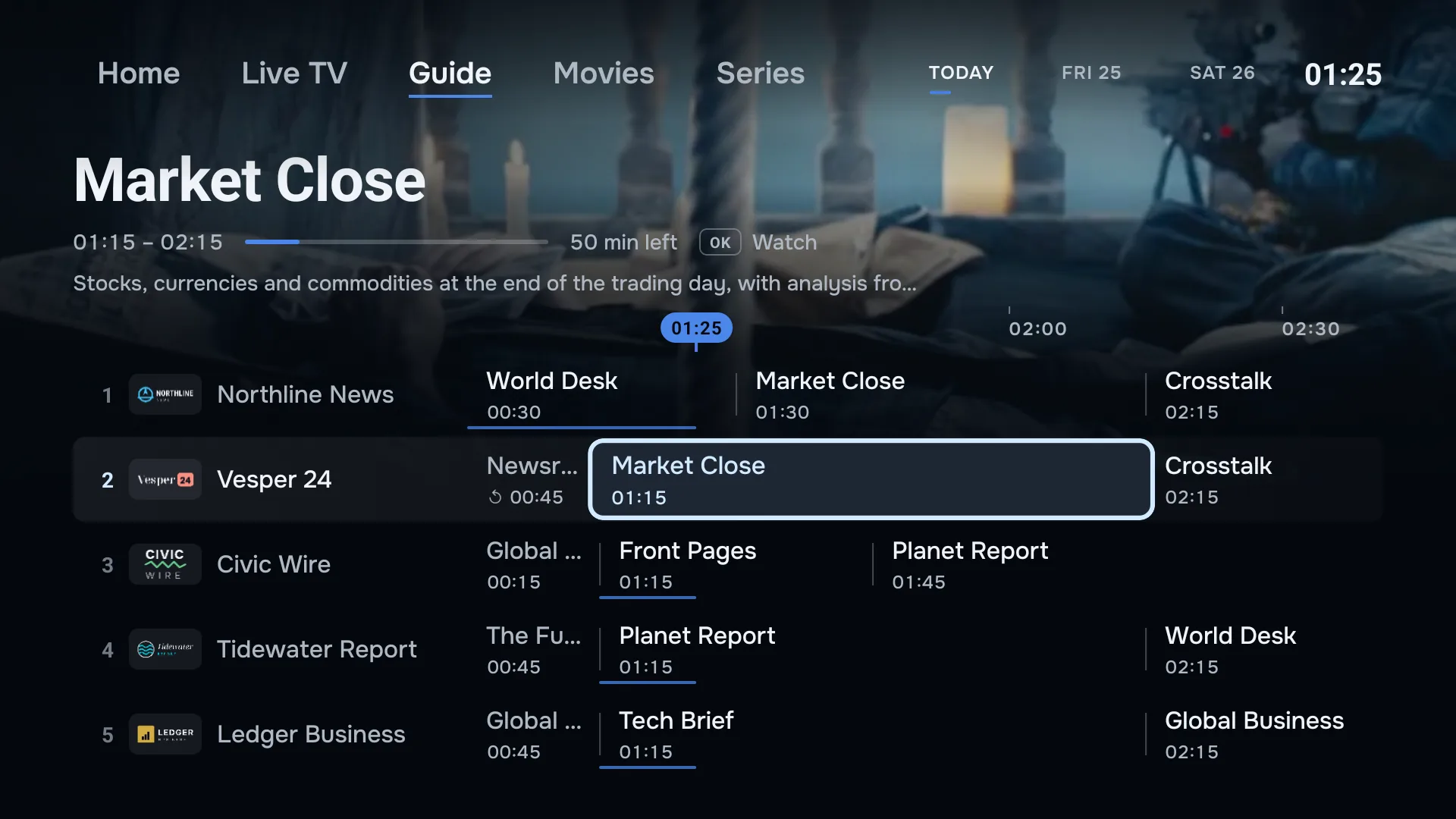
Missed the goal? Press rewind and see it again, then jump back to live. Go back in the guide to play a programme that has already aired. Both work on channels where your provider keeps an archive.
The full TV guide comes from your provider’s EPG, matched to your channels by name where their IDs do not line up.
Your playlists, managed online.
Add, edit and delete the playlists on your account at app.zirotv.com. Every TV and phone signed in to it follows by itself, and a new playlist turns up with a notice to say so.
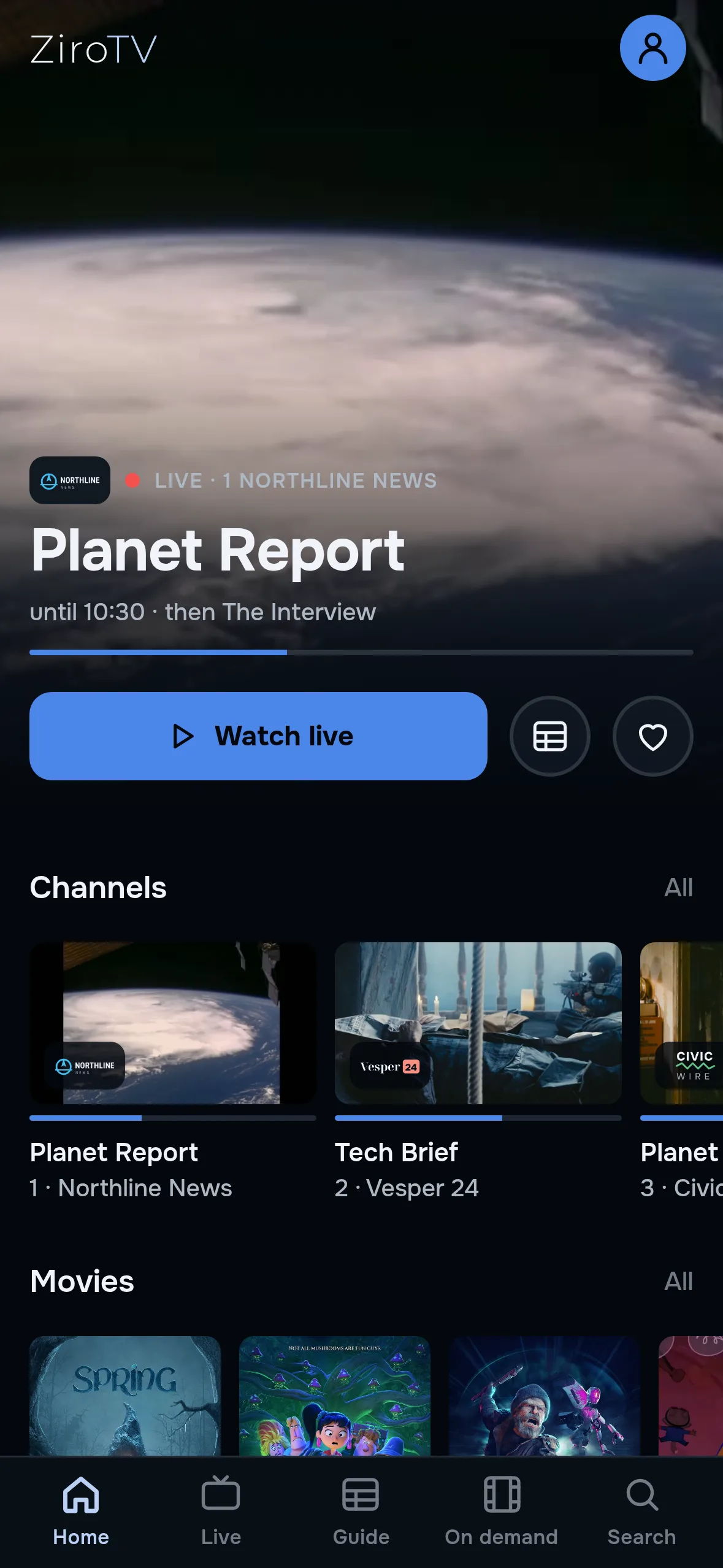
One press between sections.
Home, Live TV and Guide sit along the top of the screen, with Movies and Series when you use an Xtream Codes login. Named rather than hidden behind icons, and one press apart.
Add a playlist without the remote.
Scan the code on your TV and type your login on your phone. The TV picks it up the moment you save. Typing a password with arrow keys is now optional.
- Made for the remote
- Zap in one press, or type a channel number to jump.
- Profiles and PIN
- Everyone’s own favourites, a lock where you want one.
- Multiple playlists
- Two providers, one guide.
- Tidy lists
- Clean channel names. Hide and rename the rest.
- Picture modes
- Fit, fill, 16:9 or 4:3.
- Audio and subtitles
- Switch tracks when the stream carries them.
- Sleep timer
- Fall asleep to it.
- Updates in the app
- New versions arrive on the TV.
On every screen you own.
Fire TV
Fire TV Stick, 4K Max and Cube. Built for the Fire TV remote.
ZiroTV for Fire TVGoogle TV and Android TV
Google TV Streamer, Chromecast with Google TV, SHIELD, and TVs from Sony, Philips, TCL and more.
ZiroTV for Android TVAndroid phones and tablets
The same account in your pocket. Install the app file today; the phone edition is coming to Google Play.
ZiroTV on your phoneWindows PC
PCs and laptops with Windows 10 or newer, 64-bit. Made for keyboard and mouse, on the same account as your TV.
ZiroTV for WindowsiPhone and iPad
The phone edition is coming to the App Store, on the same account as your TV.
ZiroTV for iPhone and iPadSamsung Smart TV
In development for Samsung Smart TVs on Tizen. Until it launches, a Google TV device or the Fire TV Stick 4K Max runs ZiroTV.
ZiroTV for Samsung TVLG Smart TV
In development for LG Smart TVs on webOS. Until it launches, a Google TV device or the Fire TV Stick 4K Max runs ZiroTV.
ZiroTV for LG TV
Samsung or LG TV? Plug in a Google TV device or the Fire TV Stick 4K Max and you are set.
From install to watching in about three minutes.
Install ZiroTV.
On a Fire TV or Google TV, type zirotv.com/apk into the Downloader app. On a phone, download it from this site.
Add your playlist.
Scan the QR code on your TV and enter your Xtream Codes login or M3U link on your phone.
Watch free for 7 days.
Everything is unlocked. To keep it, choose a plan at app.zirotv.com and sign in on your screens.
Pricing
Every feature. Two screens. Choose how you pay.
No feature tiers and no ads. Every plan unlocks the whole app on two screens, TVs, phones or computers. You only choose how often you pay.
Monthly
Flexible
€6.04 a month
Including 21% VATNo VAT outside the Netherlands
- Every feature
- Two screens included
- Cancel any time
Yearly · best value
The whole season
€12.09 a year
Including 21% VATNo VAT outside the Netherlands
Under €1.01 a month, billed yearly.
- Every feature
- Two screens included
- Cancel any time
Lifetime
Buy it once
€30.24 once
Including 21% VATNo VAT outside the Netherlands
- Every feature
- Two screens included
- Paid once, for as long as ZiroTV is offered and at least 5 years
Every plan is for the player alone: ZiroTV includes no channels or other content, and plays the playlist you add.
Prices in the Netherlands include 21% VAT. Outside the Netherlands no VAT applies: €4.99 a month, €9.99 a year or €24.99 once.
Try every feature free for 7 days first. When you are ready, choose a plan at app.zirotv.com and pay securely with Mollie. You never pay on your TV. Refund policy
Need more screens? Extra screens can be added in your account. Contact us.
Coming from another player?
Bring the same Xtream Codes login or M3U link, typed on your phone instead of with the remote. Every feature is on every plan, on the TV and on your phone. ZiroTV does not record programmes. Catch-up and live rewind bring back what you missed instead.
Not sure which login you have? Xtream Codes vs M3U explains the difference, and the setup guides cover installing, playlists and the TV guide.
The honest answers.
Does ZiroTV include channels?
No. ZiroTV is a media player for playlists you provide. It does not include, host, sell or supply any television channels, films or other content, and it has no affiliation with any content provider. You are responsible for the legality of the streams you add.
Is ZiroTV legal?
Yes. ZiroTV is a media player, in the same way VLC is. It comes with no channels, links or add-ons, and we do not sell or recommend any source. Whether a stream is legal depends on where it comes from, so use a provider that has the rights to what it offers. You are responsible for what you add.
In the EU, the Court of Justice drew the line in the Filmspeler case (C-527/15, 26 April 2017). Selling a media player loaded in advance with links to unlicensed streams infringes copyright, and knowingly watching unlicensed streams is not covered by the exception for temporary copies. ZiroTV is sold as a player only. We cannot advise on the law in your country. Read the judgment on EUR-Lex.
What do I need to start?
A Fire TV, a Google TV or Android TV device, or an Android phone. You also need the Xtream Codes login (server, username and password) or the M3U link from your provider, and its EPG link if it gives you one. How to download ZiroTV.
Which devices does it run on?
Fire TV devices on Fire OS 6 or newer, Google TV and Android TV on Android 7.0 or newer, and Android phones and tablets on Android 7.0 or newer. That covers the Fire TV Stick 4K Max, Fire TV Cube, Google TV Streamer, Chromecast with Google TV, NVIDIA SHIELD TV, and TVs and boxes that run Google TV or Android TV.
How many screens can I use?
Every plan covers two screens on your account, TVs or phones. A phone you sign in on uses one, just like a TV. Every plan includes every feature, so plans differ only in how often you pay.
What happens when the free trial ends?
ZiroTV shows a code. Scan it with your phone, choose a plan at app.zirotv.com and pay with Mollie: the screen unlocks as soon as the payment goes through. Already have a plan? Sign in on that screen instead. Nothing is charged automatically, because the trial never asked for a card.
Get ZiroTV on your TV tonight.
Download the app, add your playlist and enjoy 7 days on us.
Already have an account? Sign in at app.zirotv.com